Introduction: Understanding Digital AC Energy Meters
Digital AC energy meters are essential for monitoring energy consumption in residential, commercial, and industrial settings. Unlike analog meters, which use a rotating dial to indicate usage, digital meters provide a clear, numerical reading. These meters offer more precision and are easier to read, making it essential to understand how to interpret their data. Proper understanding of digital AC energy meters helps in tracking energy usage, identifying potential savings, and ensuring accurate billing. In this article, we will guide you through the process of reading a digital AC energy meter accurately and efficiently, addressing common questions and challenges.
What is a Digital AC Energy Meter?
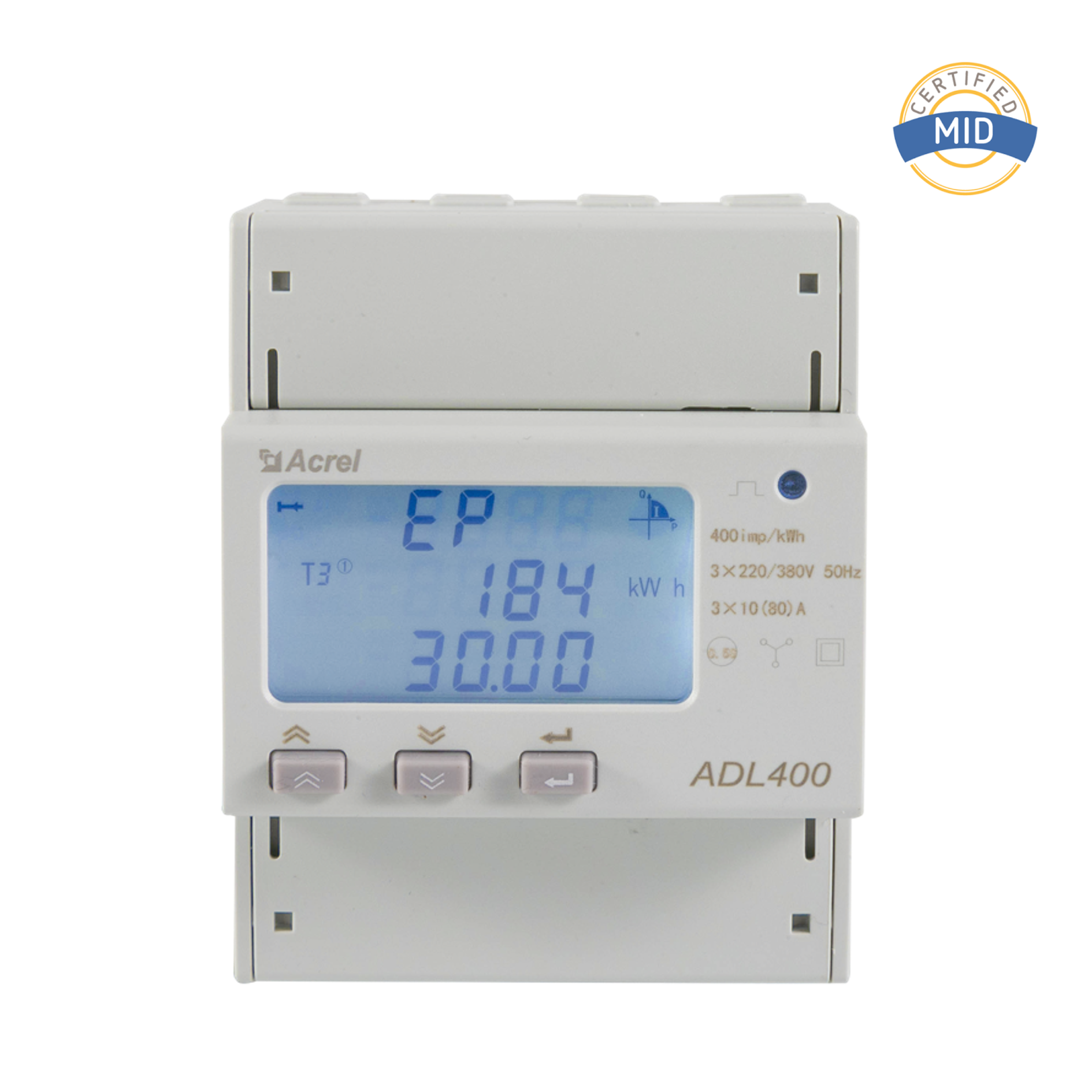
A digital AC energy meter is an electronic device used to measure the amount of electrical energy consumed by a load in alternating current (AC) circuits. These meters display the total energy consumption in kilowatt-hours (kWh), which is the standard unit of measurement for electricity consumption. Digital meters provide more accurate readings than analog meters, which can be affected by wear and tear over time.
Key Components of a Digital AC Energy Meter
To read a digital AC energy meter effectively, it’s important to understand its components and how they interact to provide accurate readings. Here are the main parts you will typically find on a digital meter:
Digital Display Screen: Shows the total energy consumption in kWh, sometimes with additional data such as voltage, current, and power factor.
Buttons: May be used to navigate between different screens or reset the meter.
Power Supply: The main input that powers the meter, typically connected to the main electrical line.
Communication Ports: Allow for data collection and remote monitoring.
How to Read a Digital AC Energy Meter
Reading a digital AC energy meter is straightforward, but understanding the different data points can require some attention. Here’s a step-by-step guide:
Step 1: Locate the Digital Display The display on your meter will show a series of numbers. Typically, the first set of numbers represents the total kWh consumed since the meter was last reset. This is the most important reading for understanding energy consumption.
Step 2: Identify the Unit of Measurement Ensure that the reading is in kilowatt-hours (kWh), which is the standard for most energy meters. Some meters may also display other units like ampere-hours (Ah) or volts (V), but kWh is the most common.
Step 3: Read the Data on the Screen The main reading will typically show a series of digits, often with two decimal places. For example, 1500.12 kWh indicates the total energy consumption. This number is important when tracking monthly energy use or comparing it against previous readings.
Step 4: Check Additional Information Some digital meters display additional information such as the current power usage in watts (W), the time of day, or even energy consumption in real-time. Use these features to monitor your energy use actively.
Step 5: Resetting the Meter (if applicable) If your meter allows for manual resetting, it is generally done by pressing a button or accessing a menu via the buttons on the meter. This can be useful for tracking consumption over a specific time period, such as a month or billing cycle.
Interpreting the Display: Understanding Different Readings
Besides the total energy consumption in kWh, many digital meters provide additional data. Here's what to look for:
Voltage (V): The voltage of the electrical system is often displayed. This is important for monitoring the stability of the electrical supply.
Current (A): The current being used by the connected load is sometimes shown in amperes.
Power Factor: This is a measure of how efficiently the electrical power is being used. A power factor close to 1 indicates optimal efficiency.
Real-Time Power Consumption: Some meters can display the current power usage in real-time, allowing you to see how much electricity is being consumed at any given moment.
Common Issues with Digital AC Energy Meters
While digital energy meters are reliable, issues can arise. Here are some common problems you might encounter:
Meter Not Displaying: If your meter is not displaying any readings, it may have a power issue, or there could be a fault in the meter.
Inaccurate Readings: Inaccurate readings could result from meter malfunction or external factors, such as fluctuations in the electrical supply.
Excessive Power Consumption: Sometimes, the meter may show unusually high readings. This could indicate faulty wiring or an energy-hungry appliance that needs inspection.
If any of these issues persist, it is best to contact a professional technician or the utility company for assistance.
Tips for Accurate Energy Monitoring
To ensure that you are getting the most accurate readings from your digital AC energy meter, follow these tips:
Regularly check the meter and reset it if necessary to track your energy consumption accurately.
If your meter allows for data export, use it to track your energy consumption over time and look for patterns.
Ensure that there are no physical obstructions or dirt on the meter’s display screen.
Consult the manual for specific functions and features of your energy meter model.
Frequently Asked Questions (FAQ)
Q1: How often should I check my digital AC energy meter?
A1: It’s a good idea to check your energy meter at least once a month to track your consumption. Regular checks will also help identify any issues early on.
Q2: Why does my digital AC energy meter show an unusually high reading?
A2: This could be due to an energy-consuming appliance or faulty wiring. It’s best to investigate and check if any equipment is malfunctioning.
Q3: Can I reset my digital AC energy meter to track consumption from a specific date?
A3: Some digital meters allow for manual resetting. Check your meter’s user manual to see if this feature is available and how to reset it.
Q4: What should I do if my meter is not displaying correctly?
A4: If the display is malfunctioning, first check the power supply. If the issue persists, it may be necessary to contact a technician or your utility provider.


 English
 Deutsch
 Part 1: Introduction 1.1 What is Power Quality and Why is it Important? In modern society, a stable ...View More
 Introduction to AC Energy Meters In today’s rapidly evolving energy sector, accurate measurement and...View More
 I. Introduction: The Critical Need for Motor Protection Electric motors are the undisputed workhorse...View More
 Introduction In modern industrial and commercial power environments, precise measurement and managem...View More

 Email: [email protected]
 Phone: +86-18702106858 / +86-21-69156352




